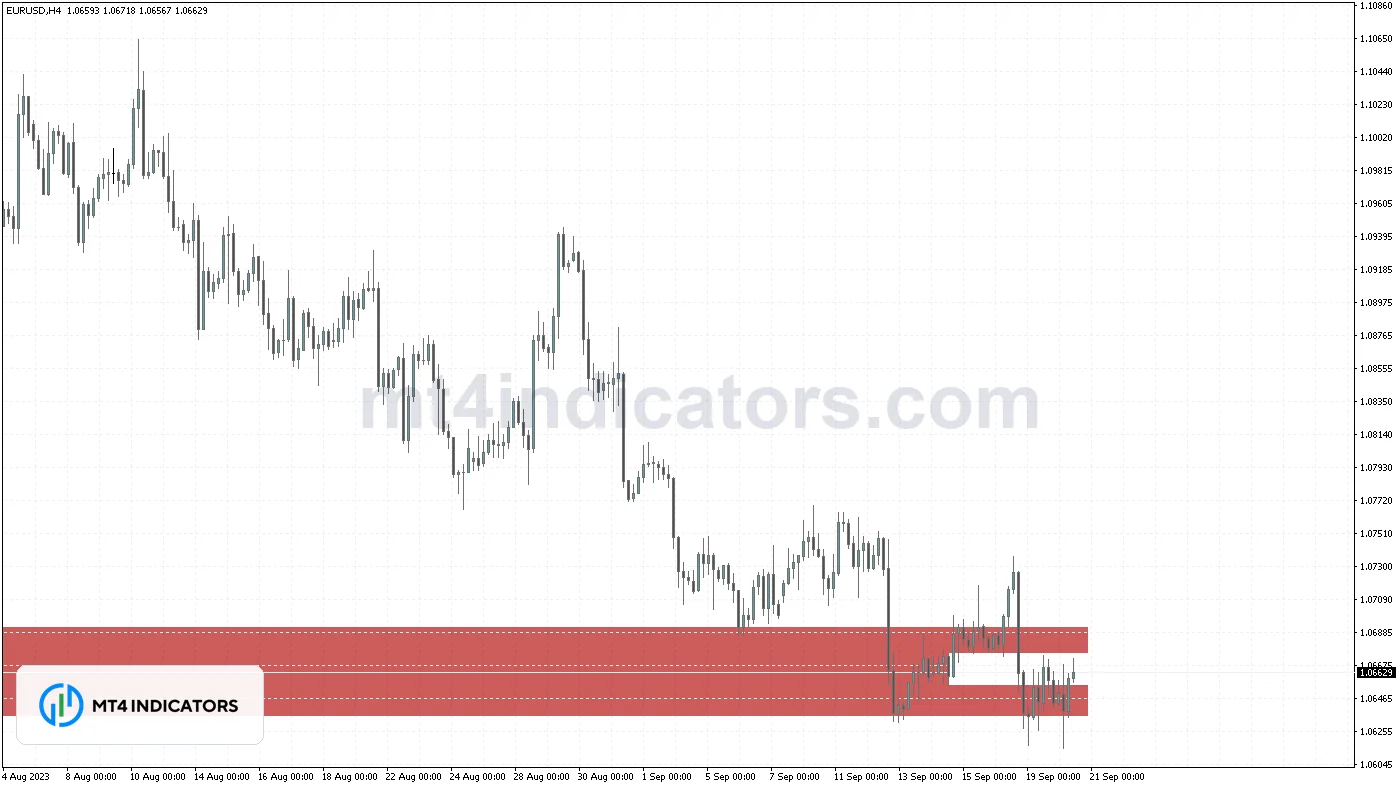
The Breaker Block indicator for MT4 finds ICT breaker blocks automatically and draws each one as a zone on your chart. A breaker block is an order block that failed: price swept liquidity beyond a swing, then reversed and closed through the other side of the structure. This free breaker block indicator for MT4 marks that failed block and extends it to the right until a candle closes through it.
Breaker blocks take a few steps to spot by hand, and it is easy to label the wrong candle. The indicator applies one fixed sequence to every swing, uses closed candles only, and keeps the chart tidy with a cap on the number of zones.
What Is a Breaker Block?
In ICT (Inner Circle Trader) concepts, a breaker block forms when the market traps traders on one side and then reverses through their order block. A bullish breaker block develops like this:
- Price makes a swing low, then a swing high.
- Price falls and trades below that earlier swing low, taking the sell stops resting there. This is the liquidity sweep.
- Price then reverses and closes above the swing high, breaking structure to the upside.
- The last up-close candle before the drop from the swing high was a bearish order block. It failed, because price came back and closed above it. That failed order block is now the bullish breaker.
A bearish breaker is the mirror image: a swing high, a swing low, a run above the swing high, then a close below the swing low. The last down-close candle before the rally from the swing low becomes the bearish breaker. Traders then watch for price to return to that zone and hold from the other side, much like old support turning into resistance.
Breaker block vs order block
An order block is the last opposite-colored candle before a strong move, and traders expect it to hold when price returns. A breaker block is an order block that did not hold. Price ran through it after a liquidity sweep, so its role flipped. Read more in our guide on what an order block is.
| Zone | How it forms | Liquidity sweep first? |
|---|---|---|
| Order block | Last opposite candle before a strong move that holds | Not required |
| Breaker block | Failed order block after price takes out a prior swing and then breaks structure the other way | Yes |
| Mitigation block | Failed order block where price breaks structure without first taking out the prior swing | No |
Mitigation blocks
A mitigation block looks similar, but the sweep is missing. In the bullish case, price makes a higher low instead of a lower low, then closes above the swing high. The order block still failed, but no liquidity was taken first. This indicator draws breaker blocks only. When a swing high is broken without a sweep of the prior low, the setup is dropped and no zone is drawn.
The unicorn setup
Some ICT traders call a breaker block that overlaps a fair value gap a “unicorn” setup. The idea is that two separate reasons for price to react sit at the same level. Run this indicator together with a fair value gap indicator and look for places where a breaker zone and an open gap overlap. Our guide on what a fair value gap is explains the gap side.
What Is the Breaker Block Indicator?
The indicator follows the sequence above on every swing in the scan window. It finds swing highs and lows with a fractal-style rule, waits for the sweep and the close beyond the swing, picks the order-block candle, and draws a rectangle from that candle forward. Active zones keep extending to the right. When a closed candle goes through a zone, the zone is removed by default; set ShowInvalidated to true to keep it on the chart in gray as a record.
How the Breaker Block Indicator MT4 Finds Zones
Swings
A candle is a swing high when its high is above the highs of the SwingStrength candles after it and not below the highs of the SwingStrength candles before it. Swing lows use the same rule with lows. With the default of 3, a swing is confirmed once three more candles have closed.
Bullish breaker rules
- A swing high is confirmed, and there is an earlier swing low before it.
- After the swing high, a low trades below that earlier swing low. The low does not need to be a confirmed swing.
- A later candle closes above the swing high. The breaker is created on that candle.
- The zone is the full high-to-low range of the last up-close candle at or before the swing high, searching back no further than the earlier swing low.
- If a candle closes above the swing high before the sweep happens, the swing is treated as a plain break of structure and no zone is drawn.
Bearish breakers use the mirror rules: a swing low after a swing high, a high above that swing high, a close below the swing low, and the last down-close candle at or before the swing low as the zone.
When a zone ends
A bullish zone ends when a closed candle closes below its bottom. A bearish zone ends when a closed candle closes above its top. Wicks into or through the zone do not end it. The indicator keeps up to 20 pending swings per side and up to MaxZones drawn zones, deleting the oldest first.
Key Features
- Bullish and bearish breaker blocks detected from swings, liquidity sweeps and closes beyond structure.
- Zones extend until a candle closes through them, then stop and change color.
- Mitigation-style breaks without a sweep are filtered out.
- Closed candles only, with a cap on zones and lookback to keep MT4 responsive.
- Pop-up and mobile push alerts when a new breaker forms.
- All objects use the prefix MT4I_BRK_ and are deleted when you remove the indicator.
How to Trade With the Breaker Block Indicator
A breaker zone is an area of interest, not an automatic entry. The usual approach is to wait for price to come back to it.
Bullish breaker
- Check that the higher timeframe supports longs, or at least is not in a strong downtrend.
- When a green zone appears, wait for price to pull back into it. Avoid chasing the breakout candle.
- Look for confirmation inside the zone, such as a bullish engulfing candle or a pin bar with a long lower wick.
- Place the stop below the zone, or below the sweep low for more room.
- Target the next liquidity above, such as a prior swing high or the previous day’s high.
Bearish breaker
Reverse the steps: a red zone, a pullback up into it, a bearish confirmation candle, a stop above the zone or the sweep high, and a target at liquidity below.
Practical tips
- A break of structure made with a large, decisive candle carries more weight. The Displacement Candle Indicator MT4 flags those candles.
- The CISD Indicator MT4 can show the earlier change in state of delivery that often comes before the structure break.
- Many traders prefer the first return to a fresh zone. A zone that has been tested several times is often treated as weaker.
- Size each trade from the stop distance with the position size calculator.
Best Settings
- SwingStrength 3 (default): a good balance for M15 to H4.
- SwingStrength 2: more swings and more zones, suited to M1 to M5, with more minor structure.
- SwingStrength 5: fewer, larger swings for H4 and D1, but each zone appears later.
- MaxZones 6 and ShowInvalidated false (the defaults): a clean chart that shows only recent live zones.
Does It Repaint?
No. The indicator only uses closed candles, so a breaker zone that appears will not move or disappear because of the live candle. Two things are worth knowing. First, swings are confirmed SwingStrength candles late, which is unavoidable for any swing-based tool. Second, a zone appears on the candle that closes beyond the swing, but it is drawn starting from the order-block candle, which lies further back in time. When price later closes through a zone, the zone stops extending and is removed (or turns gray if ShowInvalidated is true). That is a forward update, not a rewrite of history. On reload, the scan starts MaxBarsBack bars back, so the oldest zones can differ slightly from a live run. See what repainting means for the full picture.
How to Install
Copy breaker-block-indicator-mt4.mq4 into File > Open Data Folder > MQL4 > Indicators, restart MT4 or right-click Indicators in the Navigator and choose Refresh, then drag it onto a chart from Indicators > Custom. Step-by-step help is in our guide on how to install indicators in MT4. If you were looking for a breaker block MT5 version, note that this download is for MetaTrader 4 only; MT4 files do not run on MT5.
Related Indicators
- Order Block Indicator MT4 for order blocks that are still expected to hold.
- Fair Value Gap Indicator MT4 for spotting unicorn overlaps with breaker zones.
- Displacement Candle Indicator MT4 to judge how strong the structure break was.
- CISD Indicator MT4 for early signs that the delivery has changed direction.
- Supply and Demand Indicator MT4 for wider zones on higher timeframes.
Trading on margin carries a high level of risk, so test any new tool on a demo account before you use it with real money.