
An MT4 color scheme is a chart template (.tpl file) that sets the background, candle, grid and text colors of a MetaTrader 4 chart in one click. Below are eight free MT4 color schemes, each shown on a real chart, with a one-click download and the steps to install them and make one your default.
The 8 MT4 color schemes
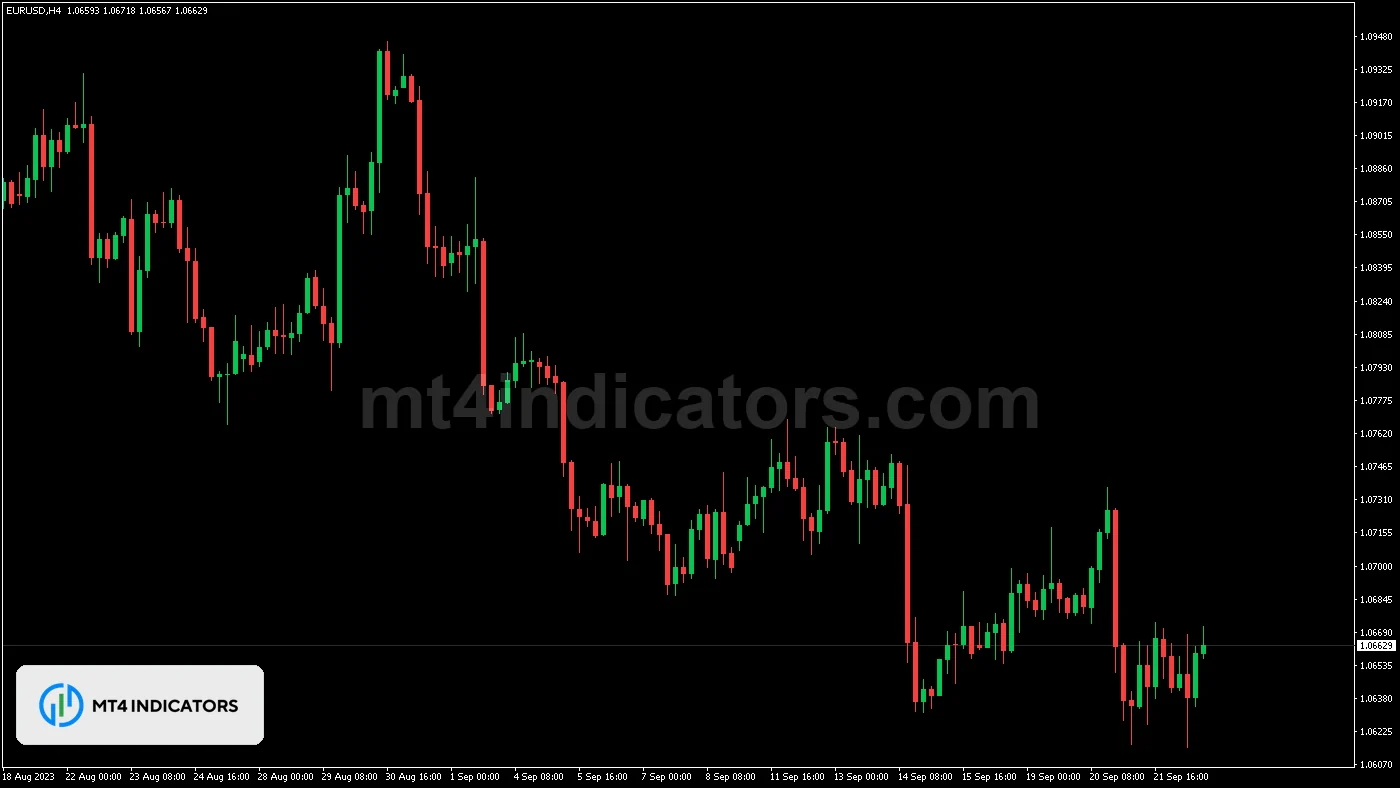
Classic Dark
Black background, green and red candles. The look most MT4 traders know. Background #000000, up candles #00C853, down candles #FF3D3D. File: mt4i-classic-dark.tpl.
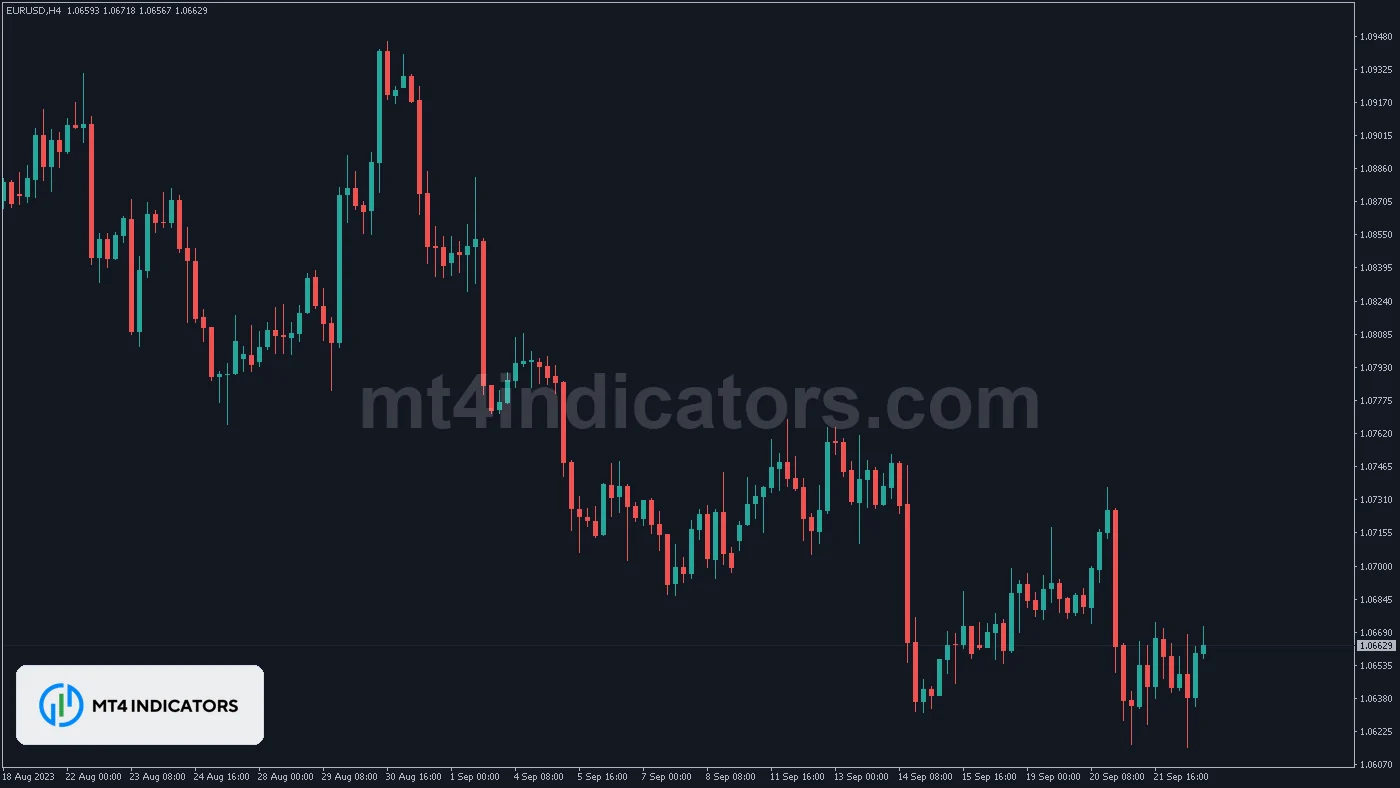
Teal & Coral Dark
Charcoal-blue background with teal and coral candles, the style most web charting platforms use. Background #131722, up candles #26A69A, down candles #EF5350. File: mt4i-teal-coral-dark.tpl.
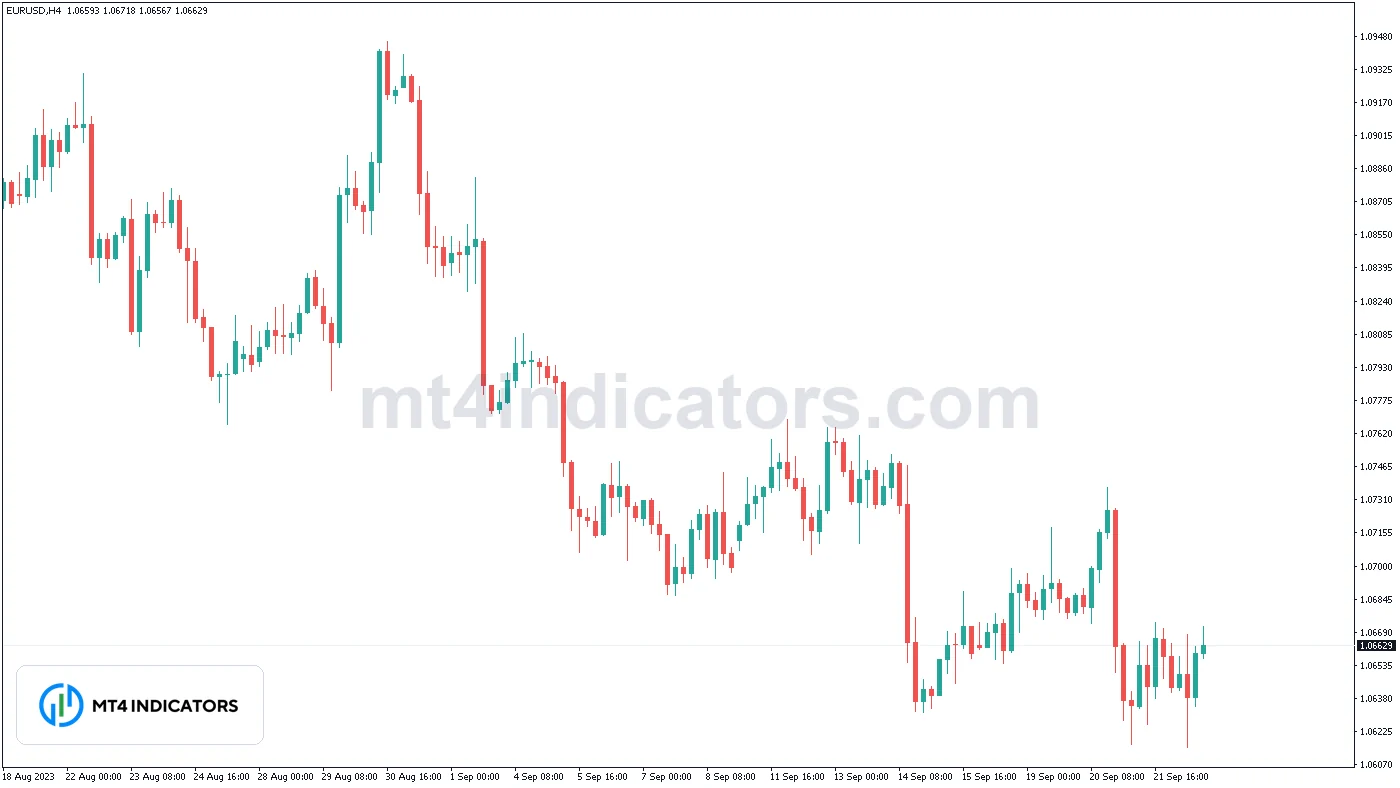
Teal & Coral Light
White background with teal and coral candles for bright rooms and screenshots. Background #FFFFFF, up candles #26A69A, down candles #EF5350. File: mt4i-teal-coral-light.tpl.
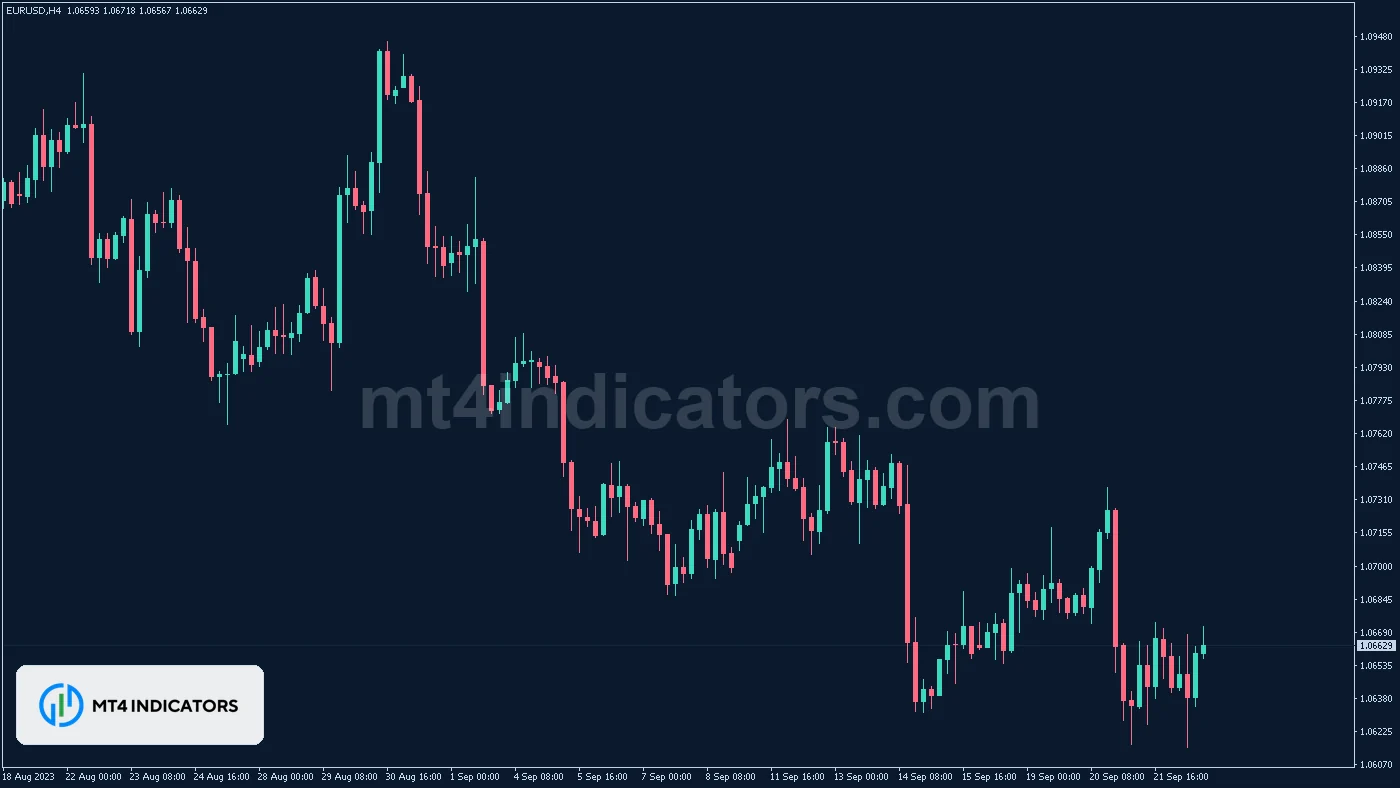
Midnight Blue
Deep navy with mint and pink candles. Easy on the eyes for long evening sessions. Background #0B1A2E, up candles #3DD9C1, down candles #FF6B81. File: mt4i-midnight-blue.tpl.
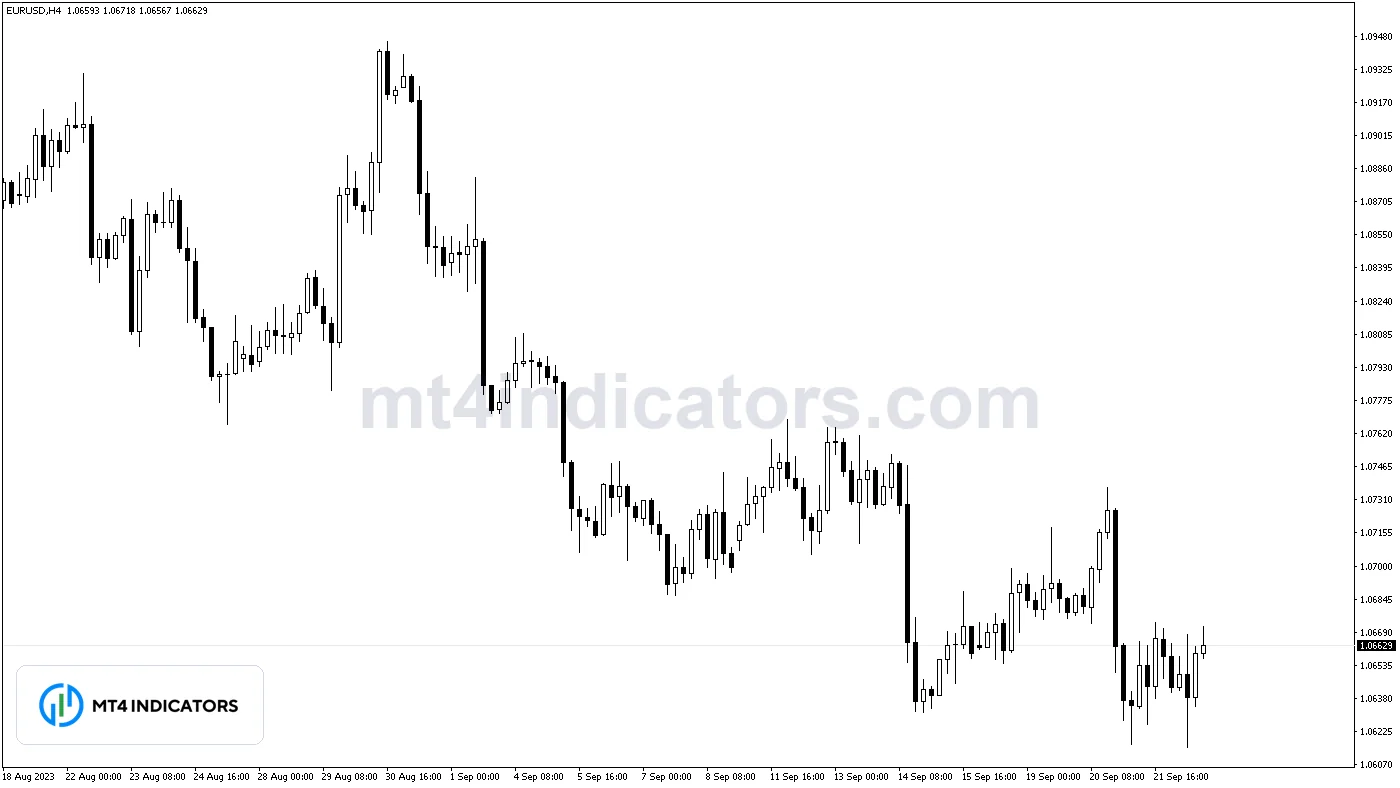
Mono Light
Black and white candles on white. Puts price action first, prints cleanly. Background #FFFFFF, up candles #FFFFFF, down candles #000000. File: mt4i-mono-light.tpl.
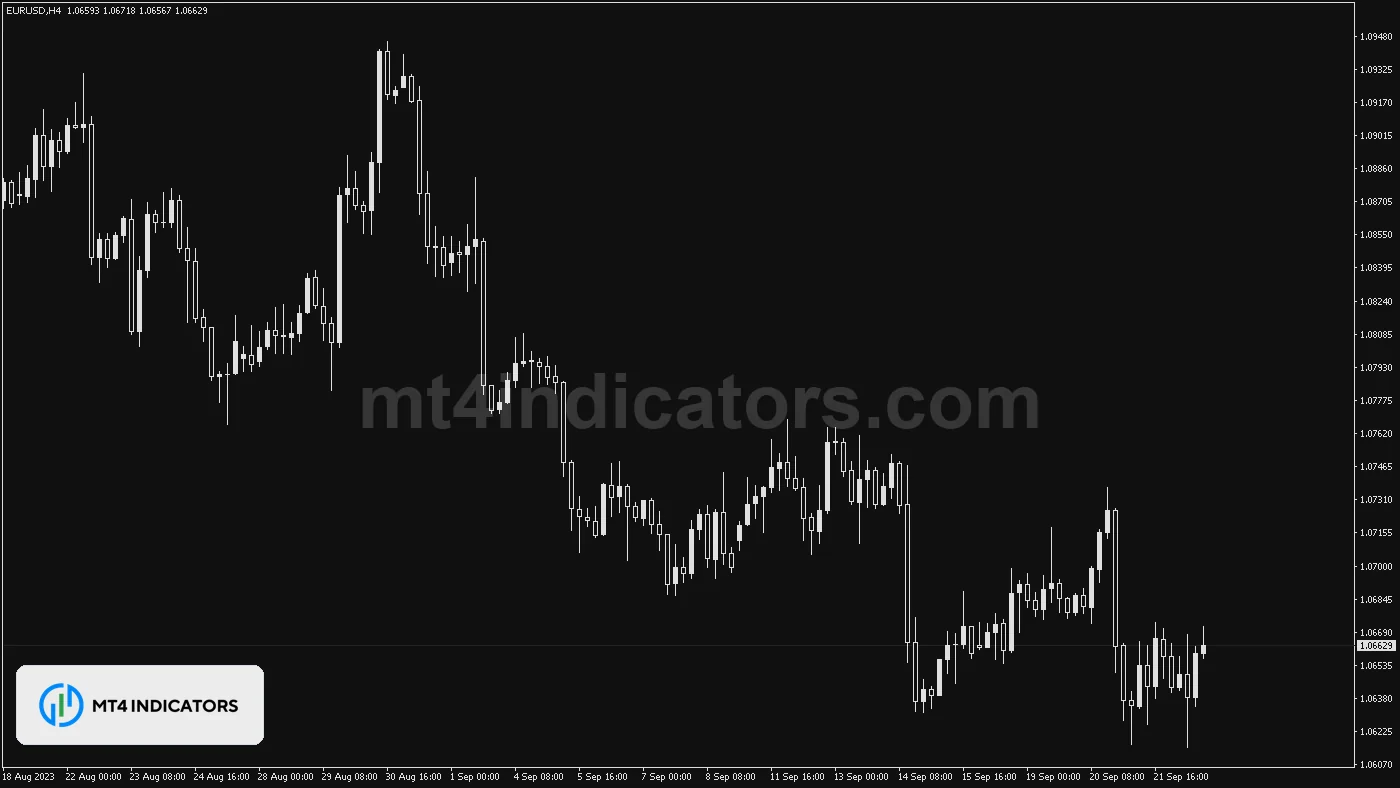
Mono Dark
Hollow-style grey candles on near-black. No color at all, so indicators stand out. Background #101010, up candles #E0E0E0, down candles #101010. File: mt4i-mono-dark.tpl.
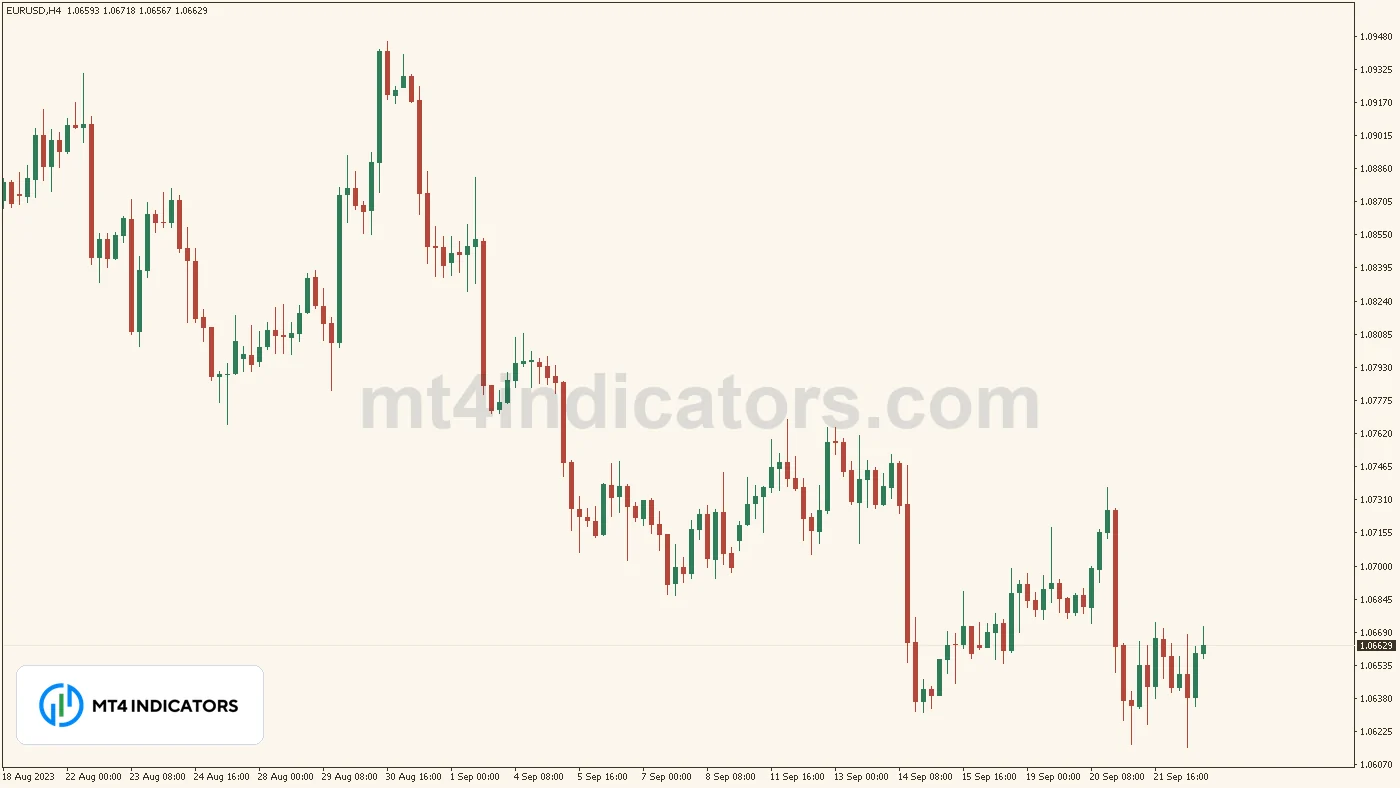
Warm Paper
Cream background with forest green and brick red. Less glare than pure white. Background #FBF6EC, up candles #2E7D5B, down candles #B5473A. File: mt4i-warm-paper.tpl.
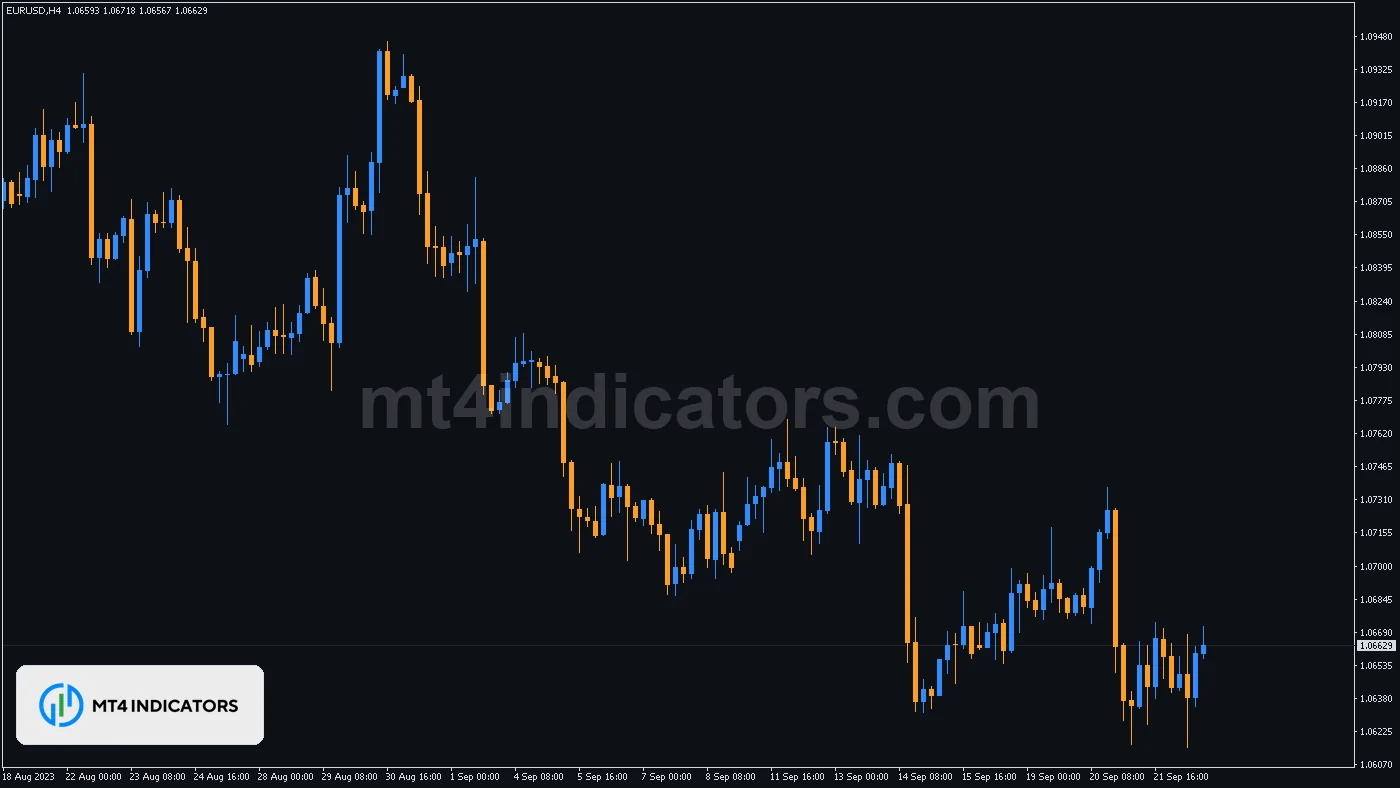
Blue & Orange (color-blind friendly)
Blue up, orange down. Readable for traders with red-green color blindness. Background #0E1116, up candles #2F8CFF, down candles #FF9F1C. File: mt4i-blue-orange.tpl.
How to install MT4 color schemes
- Download the zip above and unzip it.
- In MetaTrader 4 open File → Open Data Folder.
- Open the templates folder and copy the eight
.tplfiles into it. - Back in MT4, right-click a chart and choose Template. The schemes appear in the list as
mt4i-…. If they don’t, restart MT4.
Applying a template replaces everything on that chart, including indicators, the same as any MT4 template. Apply the color scheme first, add your indicators, then save the result as your own template with Template → Save Template.
How to make a color scheme the default for new charts
MT4 uses a template called default.tpl for every new chart you open. Apply the scheme you like, right-click the chart, choose Template → Save Template and save it as default.tpl, replacing the old file. Every chart you open from Market Watch now starts with those colors. Charts that are already open keep their current colors until you apply the template to them.
How to change chart colors in MT4 by hand
To tweak a scheme, press F8 (or right-click → Properties) and open the Colors tab. These are the settings each template changes:
| MT4 setting | What it colors |
|---|---|
| Background / Foreground | Chart background; axes, text and the OHLC line |
| Grid | Grid lines (all eight schemes switch the grid off; press Ctrl+G to bring it back) |
| Bar Up / Bar Down | Wicks and outlines of up and down candles |
| Bull candle / Bear candle | Body fill of up and down candles |
| Line graph | The line chart and price-line color |
| Volumes | Tick-volume bars |
| Ask line / Stop levels | The ask price line and stop loss / take profit lines |
Which color scheme is best for trading?
The best scheme is the one you can read for hours without strain. Dark backgrounds suit long sessions in a dim room; light backgrounds suit bright rooms, printing and screenshots. Keep candle colors clearly different from your indicator colors, so lines and arrows from tools like the SuperTrend indicator or fair value gap zones stand out. If you have trouble telling red from green, use the Blue & Orange scheme.
Colors don’t change how a strategy performs. Trading on margin carries a high level of risk, so size every trade with the position size calculator whatever your chart looks like.
Next: how to install indicators in MT4 and browse free MT4 indicators.
Frequently asked questions
Where are MT4 templates stored?
In the templates folder of your MT4 data folder. Open it from MT4 with File → Open Data Folder → templates.
How do I change the background color in MT4?
Press F8 on the chart, open the Colors tab and change Background. To change every color at once, apply a color-scheme template instead.
Why did my indicators disappear when I applied a template?
An MT4 template stores the whole chart setup, so applying one replaces the indicators on that chart. Add your indicators again and save a new template that includes both the colors and the indicators.
Do these templates work in MT5?
No. MetaTrader 5 uses its own template format. These files are for MetaTrader 4.
How do I set a default chart template in MT4?
Apply the template you want, then right-click → Template → Save Template and save it as default.tpl. New charts open with it from then on.